 Daily Dash
A daily brief of your day, written on your iPhone
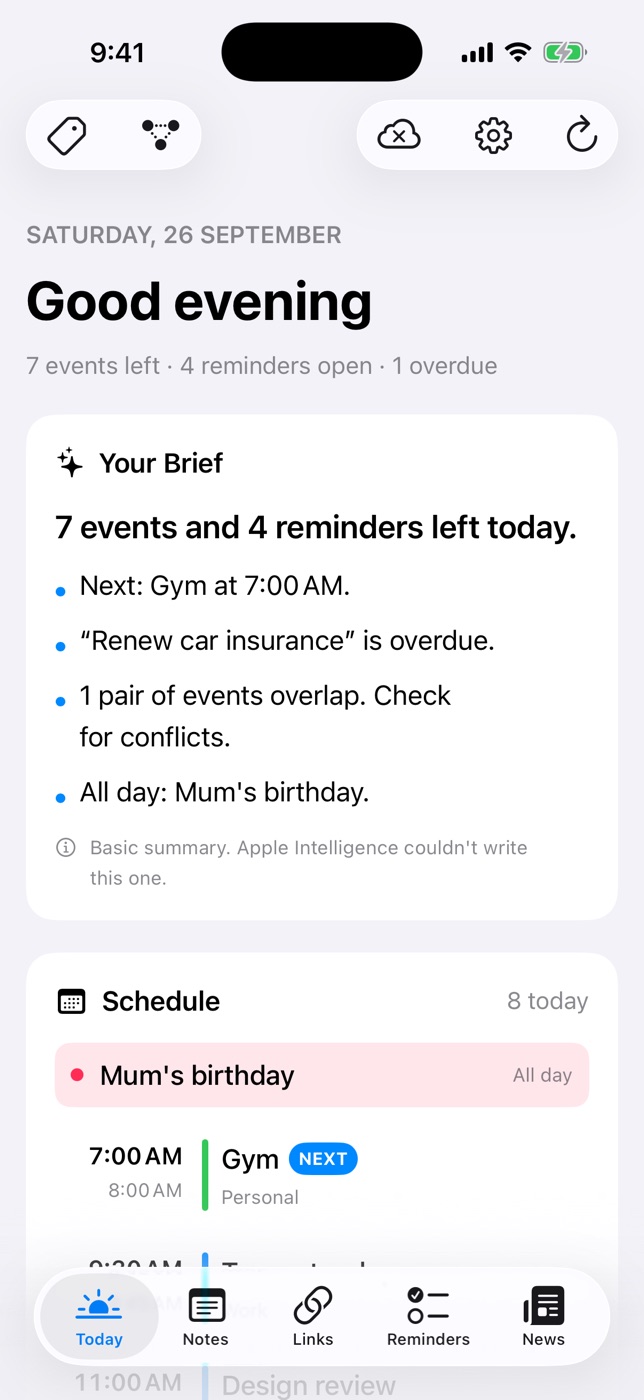
Open Daily Dash and the first thing you read is a few lines about your day: what's next, what clashes, what slipped and what's coming tomorrow. Apple Intelligence writes it on your device from your calendars and reminders, so nothing is sent to a server to be summarised.
What the brief covers
Your Brief sits at the top of the Today screen, above the Schedule, Reminders and News cards. It reads your calendars (iCloud, Google, Exchange, anything the system knows about), your Apple Reminders and Daily Dash's own reminders, then picks out what matters today:
- your next event, and busy stretches of the day,
- free time between meetings,
- anything overdue,
- events that overlap,
- and tomorrow's first event, so an early start doesn't surprise you.
The header above it gives the numbers in one line, like “3 events left · 2 reminders open · 1 overdue”. Below the brief, Schedule marks what's on Now and Next and flags overlaps, and Reminders lets you tick things off without leaving Today.
Written on your device
On devices that support Apple Intelligence, the brief is written by Apple's on-device model. Your calendar and reminders stay on your iPhone, iPad or Mac while it's written. Daily Dash has no account and no server of its own, and calendars and Apple Reminders are read through the system without being copied anywhere. The privacy policy has the details.
Pull down on Today to refresh. On iPhone and iPad, background refresh keeps the calendar, reminders and brief current, so the brief is usually ready when you open the app.
When Apple Intelligence isn't available
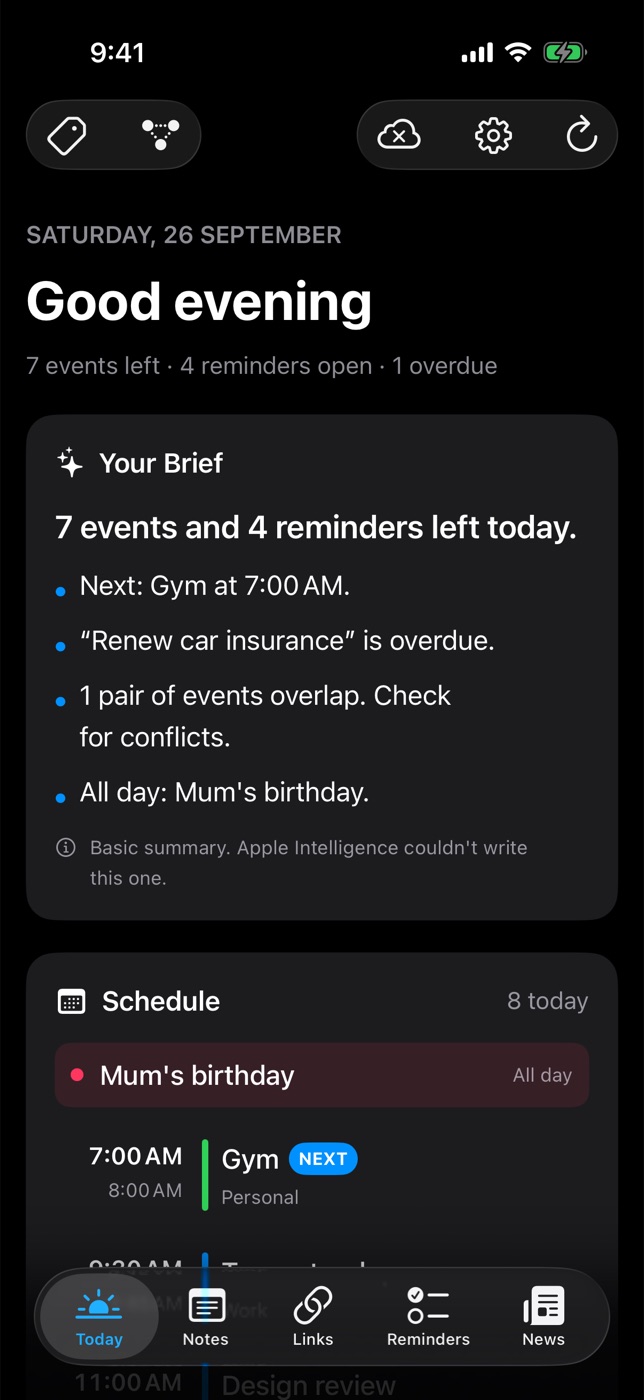
Some devices don't support Apple Intelligence, and on new devices the model can take a while to download. In those cases Daily Dash writes a rule-based summary instead and shows a small note saying so. It covers the same ground: next event, overdue items, overlaps and all-day events. When Apple Intelligence becomes available, the brief is rewritten with it next time you open the app.
Choosing which news reaches the brief
The News card on Today shows the top headlines from the feeds you follow in the RSS reader. Two controls keep your morning focused:
- Include in Brief. Every feed in Manage Feeds has this switch. Turn it off for feeds you like to browse later but don't need first thing. They stay in the News tab.
- Tag filter. Filter the News card by a tag, such as #work, to see only headlines from feeds with that tag. Tags are the same ones you use across the app (see tags and the graph).
Once you've read for a while, For You picks the headlines you're likely to open. That ranking is also learned on your device.
The brief on Apple Watch
Your iPhone sends the brief and top headlines to the Daily Dash watch app, along with today's schedule and reminders. Background refresh on the iPhone keeps it current, so you can read the brief on your wrist before you pick up your phone.
Make it a habit
A brief works best when you read it at the same moment each day, then act on it. Decline one of two overlapping meetings. Give an overdue reminder a new date or delete it. Our guide to getting a daily briefing on iPhone compares the built-in options, and the morning routine guide builds a two-minute routine around the brief.

Your day, in a few lines
Daily Dash is coming soon to the App Store for iPhone, iPad, Mac and Apple Watch. It needs iOS 26 and later, iPadOS 26 and later, macOS 26 and later, or watchOS. No account, no ads, no analytics. See how Today works →
FAQ
Does the daily brief need Apple Intelligence?
No. On supported devices Apple Intelligence writes it. Otherwise Daily Dash writes a rule-based summary covering your next event, overdue items, overlaps and all-day events, with a small note saying so.
Is my calendar sent to a server?
No. The brief is written on your device. Daily Dash has no account or server, and calendars and Apple Reminders are read through the system without being copied off the device.
Can I keep a news feed out of the brief?
Yes. Turn off Include in Brief for that feed in Manage Feeds. It stays in the News tab.
Can I read the brief on my Apple Watch?
Yes. The watch app shows the brief and headlines from your iPhone, along with today's schedule and reminders.