 Daily Dash
Home › Features › Tags and graph
One set of tags, and a graph of how things connect
Most apps keep their own tags. Daily Dash has one set, shared by notes, links, reminders, news feeds, saved stories, calendar events and Apple Reminders. On top of that, you can connect any item to any other and walk those connections in a graph.
Universal tags
Add a tag from any item's tag row. Existing tags are suggested as you type, so #work stays #work. For calendar events and Apple Reminders, long-press them on Today and choose Tags & Connections…. In quick add, type #family and the reminder is tagged.
The Tags view lists every tag with how many items carry it. Tap a tag to see everything with it, across every kind of item. Its More menu renames or deletes the tag. If you create the same tag on two devices while offline, they're merged when they sync.
Tags also drive filters: Filter by Tag in Notes, Links and Reminders, the tag filter in News, and the tag filter on Today's News card.
Connections
Tags group things by topic. Connections link specific things. Use Connect on any item, search the whole library, and pick what to link: a note to a reminder, a link to a calendar event, a saved story to a project page. Disconnect undoes it. Connections show as chips in the editor and as a count in list rows.
Notes have their own links too. Embedding a page in another shows it as a block whose title stays current, and every page lists the pages that link to it. More on writing in nested notes.
The Graph
The Graph puts one item in the middle with everything it touches around it. Dashed lines join neighbours that are also connected to each other. Tap a neighbour to walk to it, or use Go to to jump to any item. Switch to List for the same connections as a list, which is easier to scan on a small screen.
On iPhone, the Graph and Tags open from the buttons at the top of Today. On iPad and Mac, both are tabs in the sidebar.
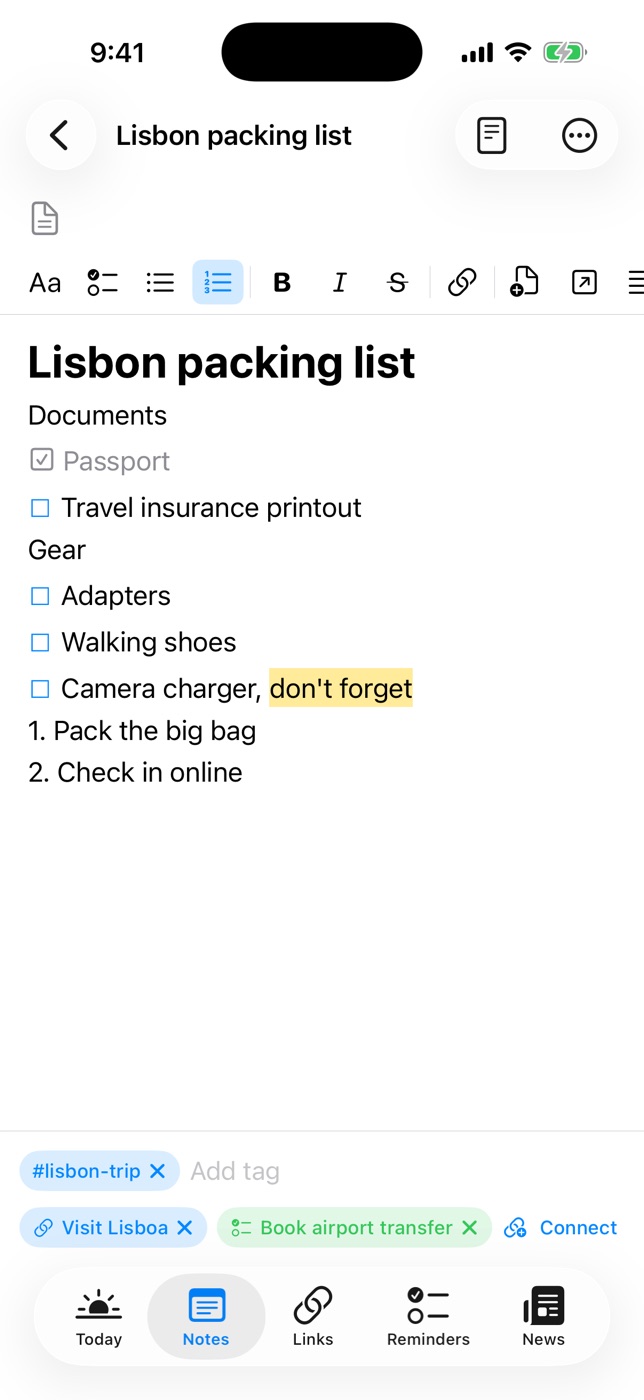
An example: planning a trip
- Make a page called “Lisbon” in Notes and tag it #trip.
- Save the hotel booking in Links, tag it #trip and connect it to the page.
- Quick add “Check in online tomorrow at 9am #trip” in Reminders and connect it too.
- Long-press the flight on Today, choose Tags & Connections… and connect the calendar event.
- Open the Graph on the Lisbon page. Everything for the trip is one tap away.
That's the idea behind a second brain: capture things where they belong, and link them so you can find them from any direction. Our guide to building a second brain on iPhone goes further, and GTD on iPhone shows how tags work as contexts.

Everything connected
Daily Dash is coming soon to the App Store for iPhone, iPad, Mac and Apple Watch. It needs iOS 26 and later, iPadOS 26 and later, macOS 26 and later, or watchOS. No account, no ads, no analytics. Read the tags guide →
FAQ
Can I tag calendar events?
Yes. Long-press an event on Today and choose Tags & Connections…. The same works for Apple Reminders.
What's the difference between tags and connections?
Tags group items by topic. Connections link one specific item to another, like a trip note to its flight reminder, and show up in the Graph.
Where is the Graph on iPhone?
It opens from the button at the top of Today. On iPad and Mac it's a tab in the sidebar.