 Daily Dash
An RSS reader that ends each day
The News tab in Daily Dash follows the sites you choose: RSS, Atom and JSON feeds, or Google News topics. Stories are grouped a day at a time, open in a reader that works offline, and are ranked for you by a small model that runs on your device.
Adding feeds
Open Manage Feeds from the News toolbar and paste a website address. Daily Dash finds its RSS, Atom or JSON feed for you, or you can paste the feed URL itself. Only https feeds are supported. Not sure where to start? Pick from suggested feeds such as BBC, NPR, The Guardian, The Verge, Ars Technica and Hacker News.
Each feed shows its story count, when it last updated and any error fetching it. Tag feeds to filter by them, switch a feed to Paused for a while, or turn off Include in Brief to keep it off the Today brief. Subscriptions sync through iCloud.
Google News topics
Some subjects don't have one good feed. Add a Google News topic, such as “Formula 1” or “interest rates”, in your language and region. Use quotes for an exact phrase and OR to match either term. When you open a Google News story, Daily Dash follows the link to the publisher's article.
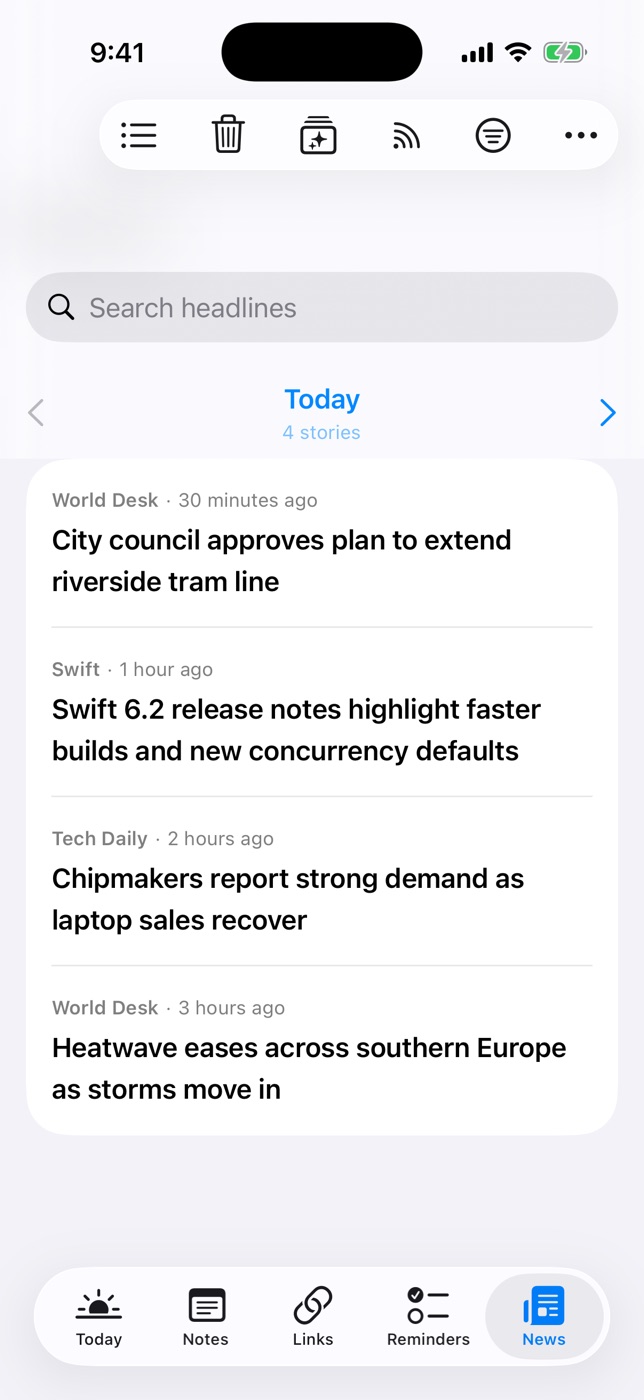
Reading a day at a time
The News tab pages through stories one day at a time. Use the arrows to move between days, or tap the date to jump to any day, with a story count for each. When you reach the end of today, you're done. The same story from several feeds shows once.
- Search headlines, or filter by feed or tag.
- Read stories dim. Long-press and choose Mark as Unread to undo, or Open in Browser, Share and Tags & Connections….
- Clear Old News… removes everything published before a date you choose. Cleared stories don't come back.
That end point is the reason day paging helps with doomscrolling.
The offline reader
Stories open in a clean reader that works offline. New stories are saved in the background, and offline copies are dropped after 7 days while the headlines stay. To keep a story for good, tap Save to Links in the reader and it joins your read-later list. On iPhone and iPad, background refresh fetches new articles for you.
For You, ranked on your device
Daily Dash notices which stories you open, read through and keep, and trains a small model on your device. Once it has enough history, it picks the headlines on Today, filters new-story notifications, and powers the For You sort, with a reason shown for each story. Your reading history isn't sent anywhere.
Notifications
On iPhone and iPad, background refresh can send one notification when new stories arrive. The next one replaces it, so they don't pile up. Once For You has learned enough, it only mentions stories picked for you. Turn it off with Notify About New Stories in Settings or Manage Feeds.
New to RSS? Start with RSS on iPhone in 2026.

The news, with an end
Daily Dash is coming soon to the App Store for iPhone, iPad, Mac and Apple Watch. It needs iOS 26 and later, iPadOS 26 and later, macOS 26 and later, or watchOS. No account, no ads, no analytics. Read the news guide →
FAQ
Can I follow Google News topics as a feed?
Yes. In Manage Feeds, add a Google News topic in your language and region. Use quotes for an exact phrase and OR to match either term.
Why won't a feed add?
Daily Dash only supports https feeds. Try pasting the site's home page so it can find the right feed address.
Can I import an OPML file?
No. Daily Dash has no import. Paste the sites you follow into Manage Feeds, or pick from the suggested feeds.
How long are articles kept offline?
Offline copies are dropped after 7 days while the headlines stay. Save a story to Links to keep it.