 Daily Dash
Save it now, read it offline later
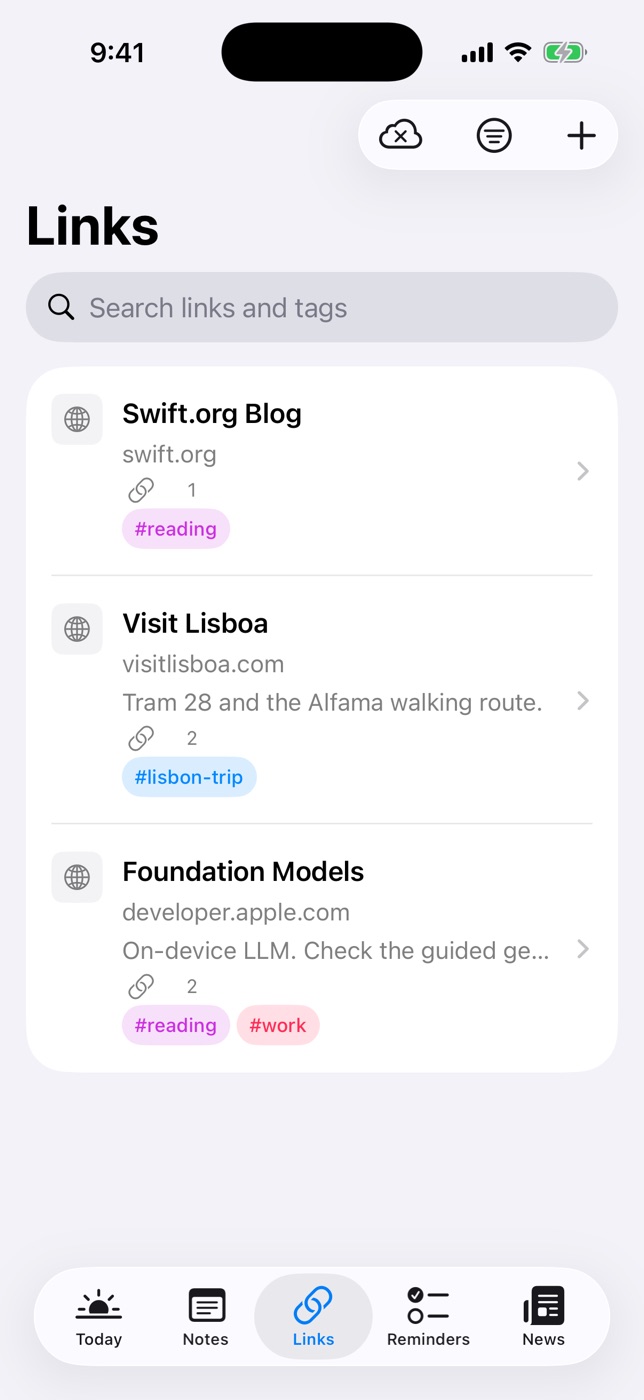
Links in Daily Dash are more than bookmarks. When you save one, the title and icon are fetched, and the article's text and a few images are saved on your device. Read it on a plane, in a tunnel or anywhere without signal, in a clean reader with a short summary on top.
Saving a link
Tap + in the Links tab and paste a URL. Daily Dash fetches the title and icon for you. You can also save a story straight from the News reader with Save to Links, which keeps it after the news copy expires. Long-press a link to open, share or delete it.
Offline copies and the reader
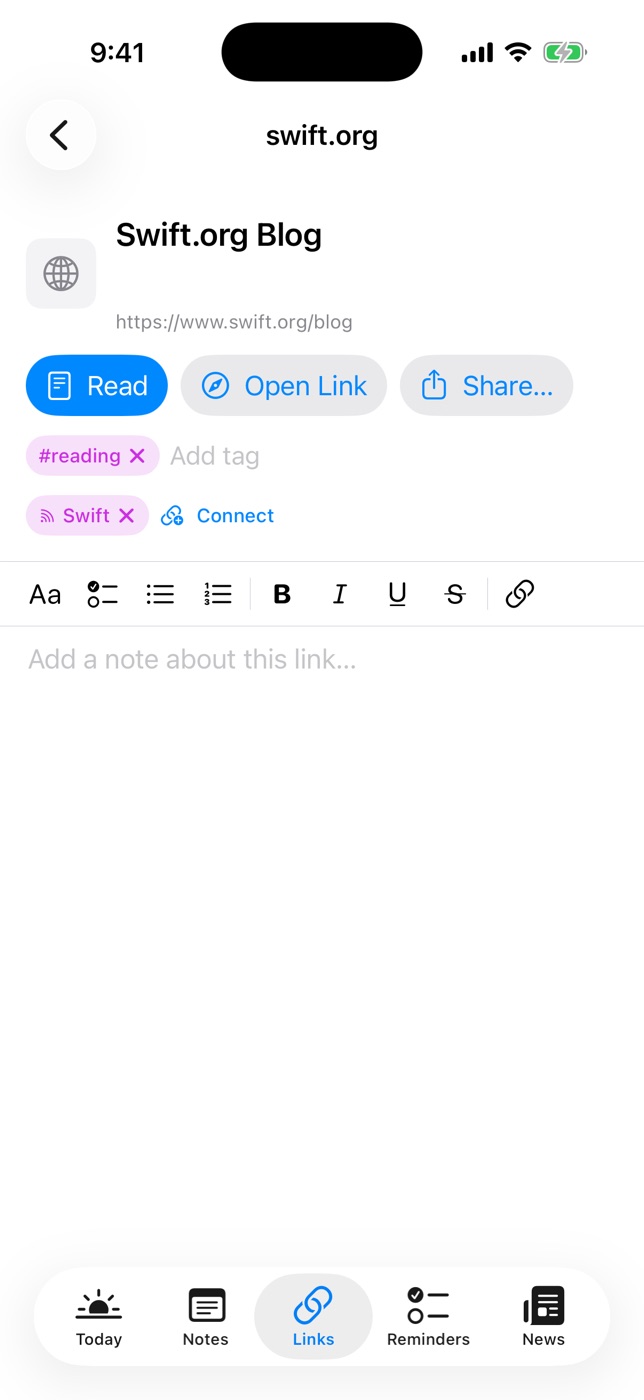
Each link's text and a few images are saved on the device. Tap Read for the clean reader view, or Open Link for the full page. Offline copies are fetched separately on each device, so your iPhone, iPad and Mac can all read offline. The list of links itself syncs through your private iCloud.
On-device summaries
Recent links get a short summary under the title in the list. It's written on your device, so the article isn't sent anywhere to be summarised. A summary helps you pick what to read next, and makes it easier to delete what you no longer need.
Notes, tags and connections
Why did you save this? Write it down. Each link has its own rich-text note, with underline and text colours too. Add tags so the link shows up with everything else on that topic, and connect it to related notes or reminders: the hotel link to the trip page, the recipe to the shopping reminder. Tags and connections work across the whole library.
Search covers titles, addresses, your notes on links and tags, and Filter by Tag narrows the list to one topic.
Coming from Pocket or Omnivore
As of September 2026, Pocket has shut down (July 2025) and so has Omnivore (November 2024). If you're looking for a new home for your reading list, note that Daily Dash has no import. Save the links you still want to read one by one. A short list you actually clear is worth more than a thousand-item archive. Our Pocket alternative guide covers how to build that habit.
There's no share extension either, so you add links by pasting them into the Links tab or saving them from News.

Your reading list, on your device
Daily Dash is coming soon to the App Store for iPhone, iPad, Mac and Apple Watch. It needs iOS 26 and later, iPadOS 26 and later, macOS 26 and later, or watchOS. No account, no ads, no analytics. Read the links guide →
FAQ
Can I read saved articles without internet?
Yes. Each link's text and a few images are saved on the device when you save it. Tap Read to open the offline reader view.
Can I import my Pocket or Instapaper export?
No. Daily Dash has no import. Save the links you still want to read by pasting them into the Links tab.
Are summaries made in the cloud?
No. Recent links get a short summary written on your device.
Do saved links sync between devices?
Yes. Links sync through your private iCloud. Offline copies are fetched separately on each device, so each one can read offline.