 Daily Dash
Your daily brief, on your wrist
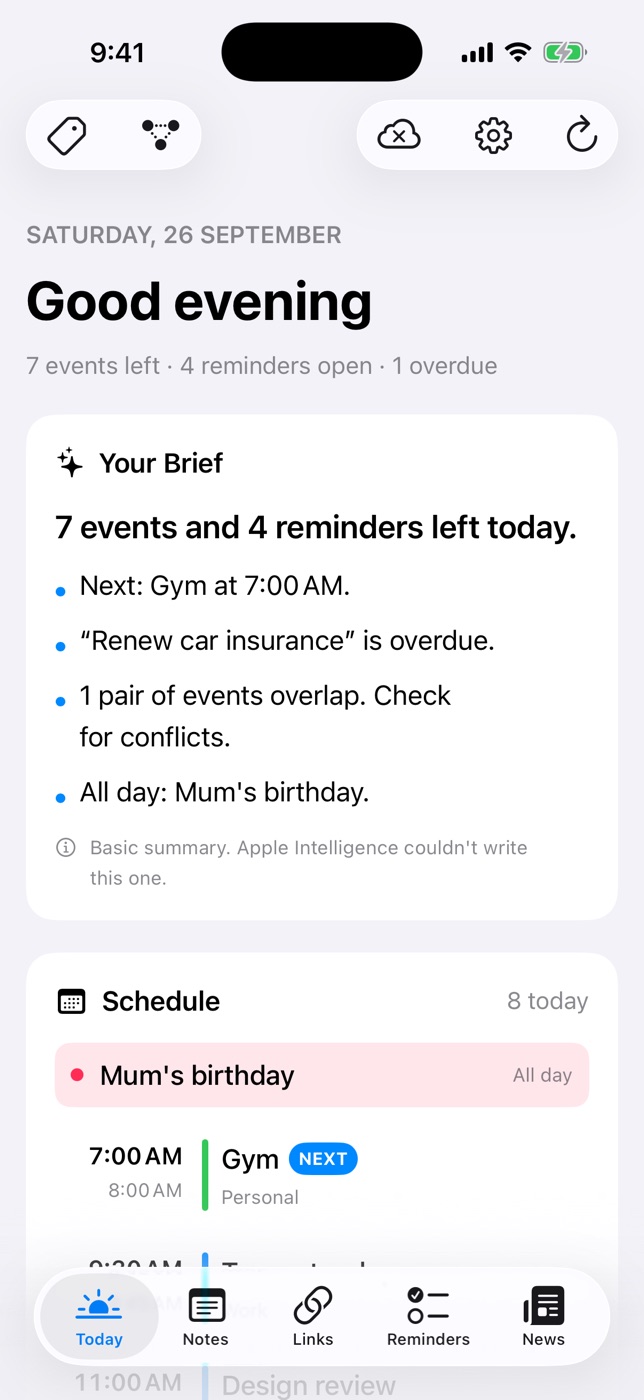
The Daily Dash watch app is for glancing. It shows the brief your iPhone wrote, today's schedule with what's on now, your reminders and the top headlines. You can check the shape of your day without picking up your phone.
What's on the watch
- Your Brief, the same few lines about your day that open the Today screen on your iPhone.
- Today's schedule, with what's on now marked.
- Your reminders, from Apple Reminders and Daily Dash.
- Top headlines from the feeds you follow in the News tab.
That's the whole app, on purpose. Notes, links and the reader stay on your iPhone, iPad and Mac.
How it stays up to date
The watch gets its data from your iPhone. On iPhone, background refresh keeps the calendar, reminders, brief and feeds current and sends them to your watch. After installing, open Daily Dash on your iPhone once so it can send the first update.
Because the brief is written on your iPhone, the watch shows the same version you'd see on Today, whether that's written by Apple Intelligence or the rule-based summary.
Reminders are read-only
To be straight about it: you can't tick off or add reminders on the watch yet. It shows them so you know what's due. Tick them off on your iPhone, iPad or Mac, and the watch catches up on the next update.
Setting up reminders, including location reminders and Ring as Alarm, happens on your other devices too.
What the watch app doesn't do
It's worth knowing the limits before you rely on it. The watch app doesn't have complications, so you open the app to see your day. It doesn't write its own brief, fetch feeds on its own, or show notes and saved links. If your iPhone hasn't refreshed in a while, the watch shows the last update it received, so open Daily Dash on your iPhone to bring it up to date.
Using it well
- Read the brief before the phone. Raise your wrist, read three lines, and you know if the first meeting is at 9 or 11.
- Check Now between meetings. A glance tells you what's on and what's next.
- Keep headlines short. Turn off Include in Brief on busy feeds so the watch shows only what you care about.
For more ideas, read Apple Watch productivity tips: 12 ways to use your phone less.

A glance is enough
Daily Dash is coming soon to the App Store for iPhone, iPad, Mac and Apple Watch. It needs iOS 26 and later, iPadOS 26 and later, macOS 26 and later, or watchOS. No account, no ads, no analytics. Read the watch guide →
FAQ
Can I complete reminders on Apple Watch?
Not yet. Reminders are read-only on the watch. Tick them off on your iPhone, iPad or Mac.
Why is my watch app empty?
Open Daily Dash on your iPhone once after installing, so it can send the first update to your watch.
Does the watch write its own brief?
No. The brief is written on your iPhone and sent to the watch, along with today's schedule, reminders and headlines.