 Daily Dash
Home › Alternatives › Omnivore
An Omnivore alternative for iPhone
Omnivore was the read-later app a lot of people recommended to each other: free, open source and thoughtful. Then it closed with a short notice period. If you're rebuilding your reading list on iPhone and want it to stay offline and private this time, here's how Daily Dash compares, including what it doesn't do.
What happened to Omnivore
In late October 2024 the Omnivore team announced they were joining ElevenLabs. The hosted service was switched off in November 2024, with only a few weeks to export, and data left on Omnivore's servers was deleted. The source code is still on GitHub, but the project is archived, and running it yourself takes a fair amount of server setup.
That came a few months before Pocket announced its own closure (our Pocket page covers that). Two popular read-later services disappearing within a year is a good reason to think about where a reading list lives.
What people liked about Omnivore
As of September 2026, looking back at the service before it closed:
- Free and open source. No subscription, and the code was public.
- Highlights and notes on articles, with search across your library.
- Newsletters and PDFs alongside web articles, with newsletters arriving by email.
- Labels and offline reading.
- Plugins for Obsidian and Logseq, so highlights could flow into a notes system.
- Everywhere: web, iOS, Android and browser extensions.
What Daily Dash offers
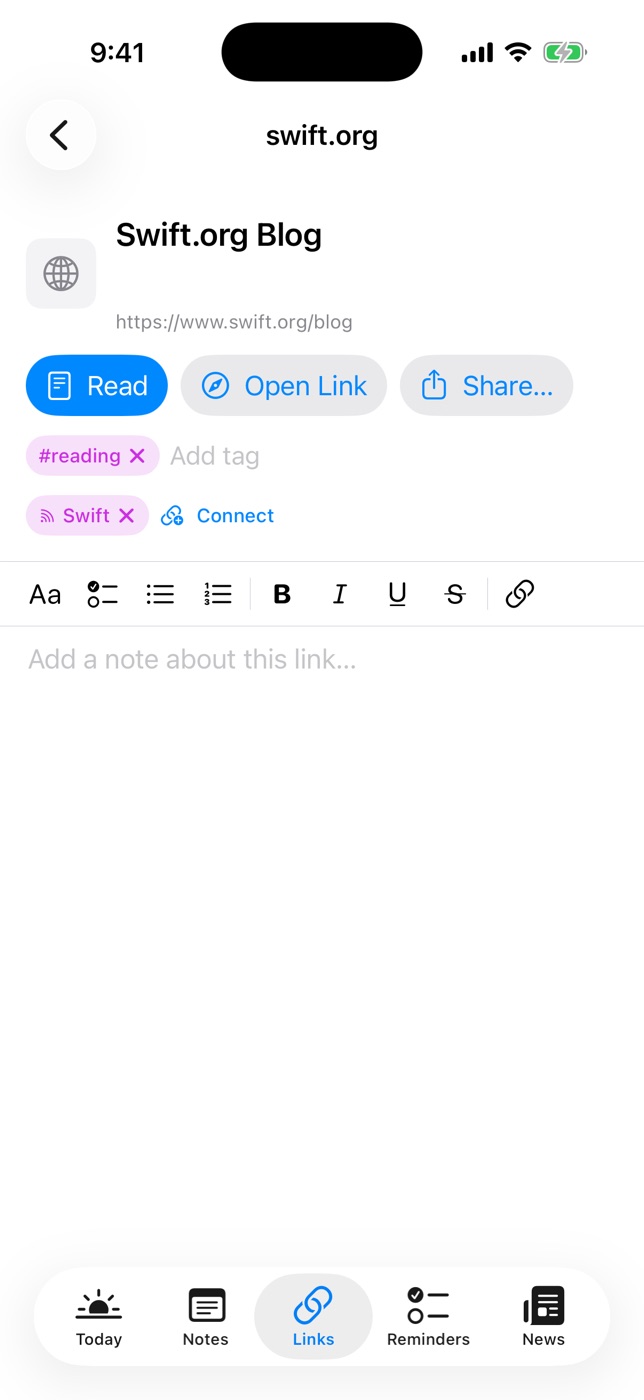
Daily Dash is a daily dashboard for iPhone, iPad, Mac and Apple Watch, with a Links tab for reading later. What carries over from the things Omnivore users valued:
- Offline by default. Saving a link stores the article's text and a few images on the device. Read opens a clean reader view with no connection needed.
- Private. No account, no ads, no analytics. The library syncs through your own iCloud, so there's no company server to shut down.
- A note on every link. Each link has a rich-text note for quotes and takeaways.
- A notes app next door. Daily Dash has nested pages stored as Markdown. You can connect a link to the page it supports, and export any page as Markdown with tags and dates as front matter. That's handy if you keep notes in Obsidian or Logseq.
- On-device summaries for recent links, so you can triage the list quickly.
- Feeds too. For the newsletter-style reading, many writers publish RSS feeds. Add them in News, read offline, and save the keepers to Links.
What it doesn't have: highlights, read-aloud, PDF saving, newsletter email addresses, a browser extension or share sheet button, an import tool, or apps outside Apple devices.
Side by side
Omnivore details describe the service before it closed, as of September 2026.
| Omnivore (closed Nov 2024) | Daily Dash | |
|---|---|---|
| Status | Shut down; hosted data deleted | Coming soon to the App Store |
| Account | Required | None; uses your iCloud |
| Source code | Open source (archived) | — |
| Offline reading | Yes | Yes, text and images on device |
| Highlights | Yes | No; a note per link |
| Newsletters | Yes, via email | RSS feeds in News |
| PDFs | Yes | No |
| Notes app integration | Obsidian and Logseq plugins | Built-in pages, Markdown export |
| Summaries | — | On device, for recent links |
| Platforms | Web, iOS, Android, extensions | iPhone, iPad, Mac, Apple Watch |
Who should pick what
Pick Daily Dash if you read on Apple devices, want your list offline and in your own iCloud, and would like saved articles next to your notes, calendar and reminders. It suits people who write a line about what they read more than people who highlight heavily.
Pick a dedicated reader if highlights, PDFs, email newsletters or read-aloud were the heart of how you used Omnivore, or if you need Android or the web. If owning the whole stack matters most, a self-hosted, open-source reader is closer to Omnivore's spirit. Our read-later comparison lists a few.
How to switch
- Find your export. If you downloaded your Omnivore data before the shutdown, open it and look for the list of saved URLs.
- Choose what still matters. Pick the articles you'd open this week. Most lists shrink a lot at this step.
- Paste into Links. Tap + in Links and paste each URL. Daily Dash fetches the title, icon and an offline copy.
- Move your highlights into notes. For articles you'd highlighted, paste the key quotes into the link's note, or into a notes page connected to it.
- Re-follow your sources. Add the blogs and newsletters that have feeds in News, and turn off Include in Brief for any you only browse.

A reading list that stays yours
Daily Dash keeps saved articles offline on your devices, summarises them on device and syncs through your own iCloud. No account, no ads. Coming soon to the App Store for iPhone, iPad, Mac and Apple Watch. See how Links works →
FAQ
What happened to Omnivore?
The Omnivore team joined ElevenLabs in late 2024 and the hosted service shut down in November 2024. User data on Omnivore's servers was deleted. The code stays on GitHub, but the project is archived.
Can I import my Omnivore export into Daily Dash?
No. Daily Dash has no import tool. Open your export, choose the articles you still want and paste their links into the Links tab.
Does Daily Dash support highlights?
No. Instead of highlights, each saved link has its own rich-text note where you can paste a quote or write what you took from it.
Where are my saved articles stored?
On your devices, with the library synced through your private iCloud. Daily Dash has no account and no server of its own.